Showing posts with label CT Tag. Show all posts
Showing posts with label CT Tag. Show all posts
07 December 2022
~*~ CT tag for Irish Princess Designs ~*~
This gorgeous kit is full of so many lovely elements for your Christmas tagging! Grab a copy today!
Stores:
Artistic Designz
Mystical
Smiley Shop
Scraps and Company (Not all kits are in her store yet - Store Currently Down)
Fan Group
Blog


This gorgeous kit is full of so many lovely elements for your Christmas tagging! Grab a copy today!
Stores:
Artistic Designz
Mystical
Smiley Shop
Scraps and Company (Not all kits are in her store yet - Store Currently Down)
Fan Group
Blog
22 November 2022
15 November 2022

11 November 2022

This tutorial was written by me on 11 November 2022. Any similarity to other tutorials is not intentional.
Supplies:
Tube - I used a gorgeous Misticheskaya tube called Raegan which you can purchase at Picsfordesign. This is an Exclusive so if you're a member you can download it.
Scrapkit - I used a beautiful kit called Lady in Black by All Dolled up, which you can purchase HERE.
Mask - I used WSL mask 353 which you can download HERE
Filters - Xero Porcelain
Font of choice - Pyktor
Don't forget to leave some love when you download!
Let's start!
Open a new canvas 800 x 800 and floodfill white.
Copy and paste frame element 88, re-size 125%.
Click inside your frame with your magic wand, selections, modify, expand by 5. Paste paper 10 as a new layer under the frame layer, selections, invert, delete. Drop shadow the frame layer.
Drop shadow elements as you go, see my tag for placement
Copy and paste your tube, effects xero porcelain, default settings but change the softness to 15, Drop shadow.
Copy and paste element 34, re-size 45%. Duplicate, image mirror.
Copy and paste element 24, re-size 50%, image flip. Duplicate, image mirror.>
Copy and paste element 43, re-size 60%.
Copy and paste element 68, re-size 65%
Copy and paste element 54, re-size 50%
Copy and paste element 98, re-size 45%
Copy and paste element 67, re-size 45%
Copy and paste element 44, re-size 60%
Copy and paste element 89, re-size 50%
Copy and paste element 72, re-size 40%
Create a new raster layer above the background layer. Selections, select all, copy and paste paper 4 into selection, select none. Load your mask, merge group.
Copy and paste element 43, duplicate a couple of times and arrange around your tag.
Crop your tag and re-size. Add some sparkles!
Add your name and your artist's copyright and you're finished!


06 November 2022


04 November 2022


This tutorial was written by me on 4 November 2022. Any similarity to other tutorials is not intentional.
Supplies:
Tube - I used Nocturne's Hot Cocoa which you can purhase at Picsfordesign
Scrapkit - I used October Sky by Irish Princess Designs. You can purchase this kit from Artistic Designz, Mystical Scrap Store, Smiley Shop or Scraps and Company (Not all kits are in her store yet - Store Currently Down).
Be sure to check out Kate's blog HERE.
Mask - I used SC Mask 06 by sylly creationz, which you can download HERE
Filters - Xero Porcelain
Font of choice - Jandy Curlygirl Chunky
Don't forget to leave some love when you download!
Let's start!
Open a new canvas 800 x 800 and floodfill white.
Copy and paste frame element 6, re-size 70%.
Click inside your frame with your magic wand, selections, modify, expand by 5. Paste paper 10 as a new layer under the frame layer, selections, invert, delete. Drop shadow the frame layer.
Drop shadow elements as you go, see my tag for placement
Copy and paste your tube, effects xero porcelain, default settings but change the softness to 12. Drop shadow.
Copy and paste element 170, re-size 80%
Copy and paste element 165, re-size 40% duplicate, mirror
Copy and paste element 96, re-size 45%.
Copy and paste element 145, re-size 45%
Copy and paste element 153, re-size 45% duplicate, mirror
Copy and paste element 87, re-size 30%
Copy and paste element 88, re-size 30%
Copy and paste element 22, re-size 45%
Copy and paste element 11, re-size 50%
Copy and paste element 102, re-size 45%
Copy and paste element 172, re-size 45%
Create a new raster layer above the background layer. Selections, select all, copy and paste paper 12 into selection, select none. Load your mask, merge group.
Crop your tag and re-size. Add some sparkles if you like!
Add your name and your artist's copyright and you're finished!
28 October 2022

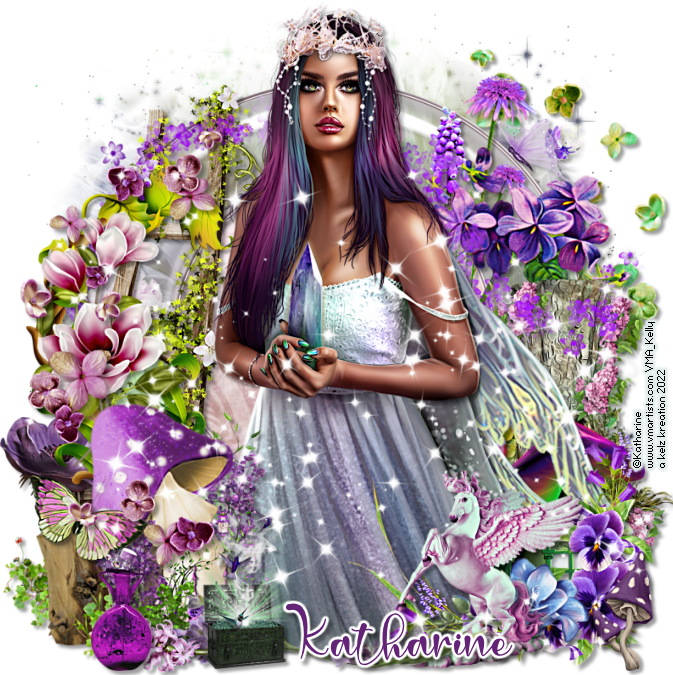
This tutorial was written by me on 28 October 2022. Any similarity to other tutorials is not intentional.
Supplies:
Tube - This gorgeous tube is by Enys Guerrero, you can purchase it at CDO HERE
Scrapkit - I used a stunning kit called Cottage Witch by Irish Princess Designs. You can purchase this kit from Artistic Designz, Mystical Scrap Store, Smiley Shop or Scraps and Company (Not all kits are in her store yet - Store Currently Down).
Be sure to check out Kate's blog HERE.
Mask - I used Tonya's TBT Gothic Mask 6, which you can download HERE
Filters - Xero Porcelain
Font of choice - Agnes Martha
Don't forget to leave some love when you download!
Let's start!
Open a new canvas 800 x 800 and floodfill white.
Copy and paste frame element 4, re-size 80%.
Use your freehand selection tool to draw around your frame. Paste paper 11 as a new layer under the frame layer, selections, invert, delete. Drop Shadow.
Copy and paste your tube, effects xero porcelain, default settings but change the softness to 12. Drop shadow the original layer.
Drop shadow elements as you go, see my tag for placement
Copy and paste element 181, re-size 50. Duplicate, mirror.
Copy and paste element 21, re-size 40%
Copy and paste element 173, re-size 45%.
Copy and paste element 35, re-size 50%
Copy and paste element 8, re-size 40%
Copy and paste element 185, re-size 30%
Copy and paste element 92, re-size 25%
Copy and paste element 1, re-size 40%
Copy and paste element 10, re-size 35%
Copy and paste element 9, re-size 40%
Copy and paste element xx, re-size xx%
Copy and paste element xx, re-size xx%
Create a new raster layer above the background layer. Selections, select all, copy and paste paper 15 into selection, select none. Load your mask, merge group.
Crop your tag and re-size. Add some sparkles!
Add your name and your artist's copyright and you're finished!
25 October 2022
~*~ CT tag for Irish Princess Designs ~*~
This beautiful kit is jam packed with stunning elements and papers for your Halloween tagging! Grab a copy today!
Stores:
Artistic Designz
Mystical
Smiley Shop
Scraps and Company (Not all kits are in her store yet - Store Currently Down)
Fan Group
Blog

This beautiful kit is jam packed with stunning elements and papers for your Halloween tagging! Grab a copy today!
Stores:
Artistic Designz
Mystical
Smiley Shop
Scraps and Company (Not all kits are in her store yet - Store Currently Down)
Fan Group
Blog

19 October 2022
~*~ CT tag for Irish Princess Designs ~*~
This beautiful kit is jam packed with stunning elements and papers for your Halloween tagging! Grab a copy today!
Stores:
Artistic Designz
Mystical
Smiley Shop
Scraps and Company (Not all kits are in her store yet - Store Currently Down)
Fan Group
Blog
This beautiful kit is jam packed with stunning elements and papers for your Halloween tagging! Grab a copy today!
Stores:
Artistic Designz
Mystical
Smiley Shop
Scraps and Company (Not all kits are in her store yet - Store Currently Down)
Fan Group
Blog
15 October 2022
New CT Tag for All Dolled Up
This gorgeous kit is called Roxane. It has elements which could be used for Steampunk, Goth or Halloween creations, and it's stunning! You can purchase the kit at Paper Dolls Scrap Store HERE


This gorgeous kit is called Roxane. It has elements which could be used for Steampunk, Goth or Halloween creations, and it's stunning! You can purchase the kit at Paper Dolls Scrap Store HERE
27 September 2022


25 September 2022
CT tag for All Dolled up.
I used the awesome kit called Brigit by All Dolled Up. This is a beautiful kit full of strong pink, lack and white elements for you to create with.
You can purchase the kit at Paper Dolls Scrap Store HERE
You can purchase this stunning Alehandra Vanhek tube at VM Artists HERE

I used the awesome kit called Brigit by All Dolled Up. This is a beautiful kit full of strong pink, lack and white elements for you to create with.
You can purchase the kit at Paper Dolls Scrap Store HERE
You can purchase this stunning Alehandra Vanhek tube at VM Artists HERE
24 September 2022
CT tag for All Dolled up.
I used the awesome kit called Imperial Fall. This is a gorgeous Autumn themed kit in beautiful tones with lots of elements for you to create with.
You can purchase the kit at Paper Dolls Scrap Store HERE
The tube is an Exclusive from PicsForDesign HERE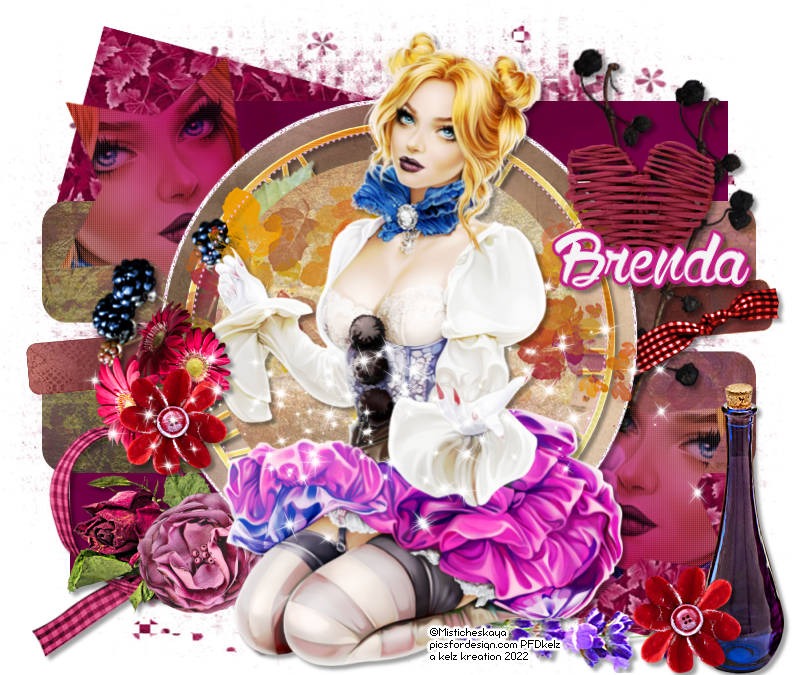

I used the awesome kit called Imperial Fall. This is a gorgeous Autumn themed kit in beautiful tones with lots of elements for you to create with.
You can purchase the kit at Paper Dolls Scrap Store HERE
The tube is an Exclusive from PicsForDesign HERE
03 June 2013

02 June 2013
New CT tag using Cindy's Royalty kit, thanks hun, beautiful kit! Check out Cindy's stuff Chichi Designz

25 May 2013

24 May 2013

Subscribe to:
Posts
(Atom)
Snag My Blinkie

Forum I'm At!!

Blogs I Like





















Subscribe


 Posts
All Comments
Posts
All Comments